
Skip to content
FamilyHealthKeep

Private. Offline. Yours.

Your family’s health companion

Track vitals, medications, conditions, appointments, insurance, and documents for everyone in the household — with doctor-ready reports and data that stays on your computer.

One-time purchase (no subscriptions) · $19.99 · 30-day trial · See all pricing
Data on your Windows PC Works completely offline Desktop productivity No subscriptions
FamilyHealthKeep for Windows — household health records that stay on your PC

Windows app

Family dashboard

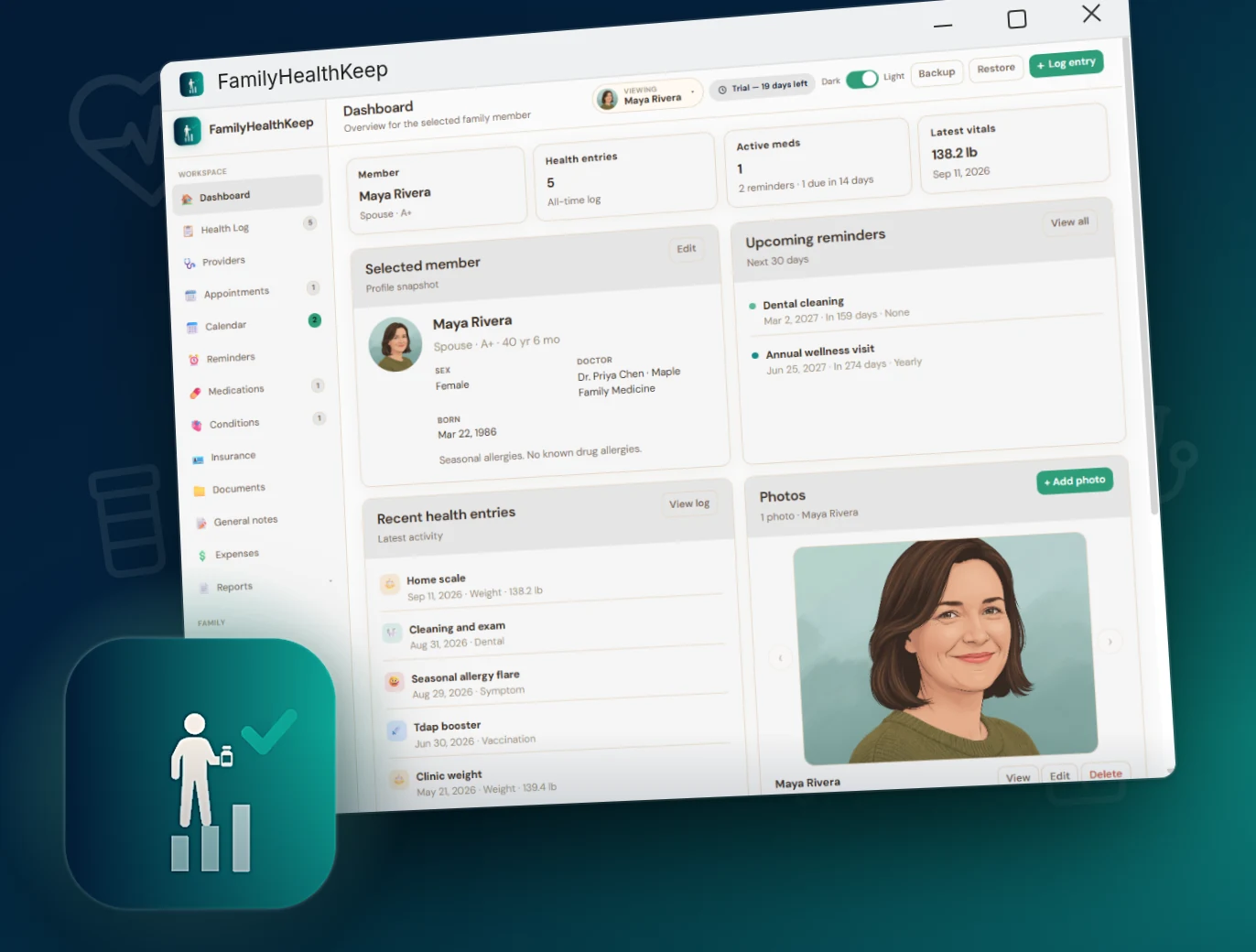
A snapshot of the selected family member — profile, key stats, latest vitals, upcoming reminders, recent health entries, and photos — on your PC.
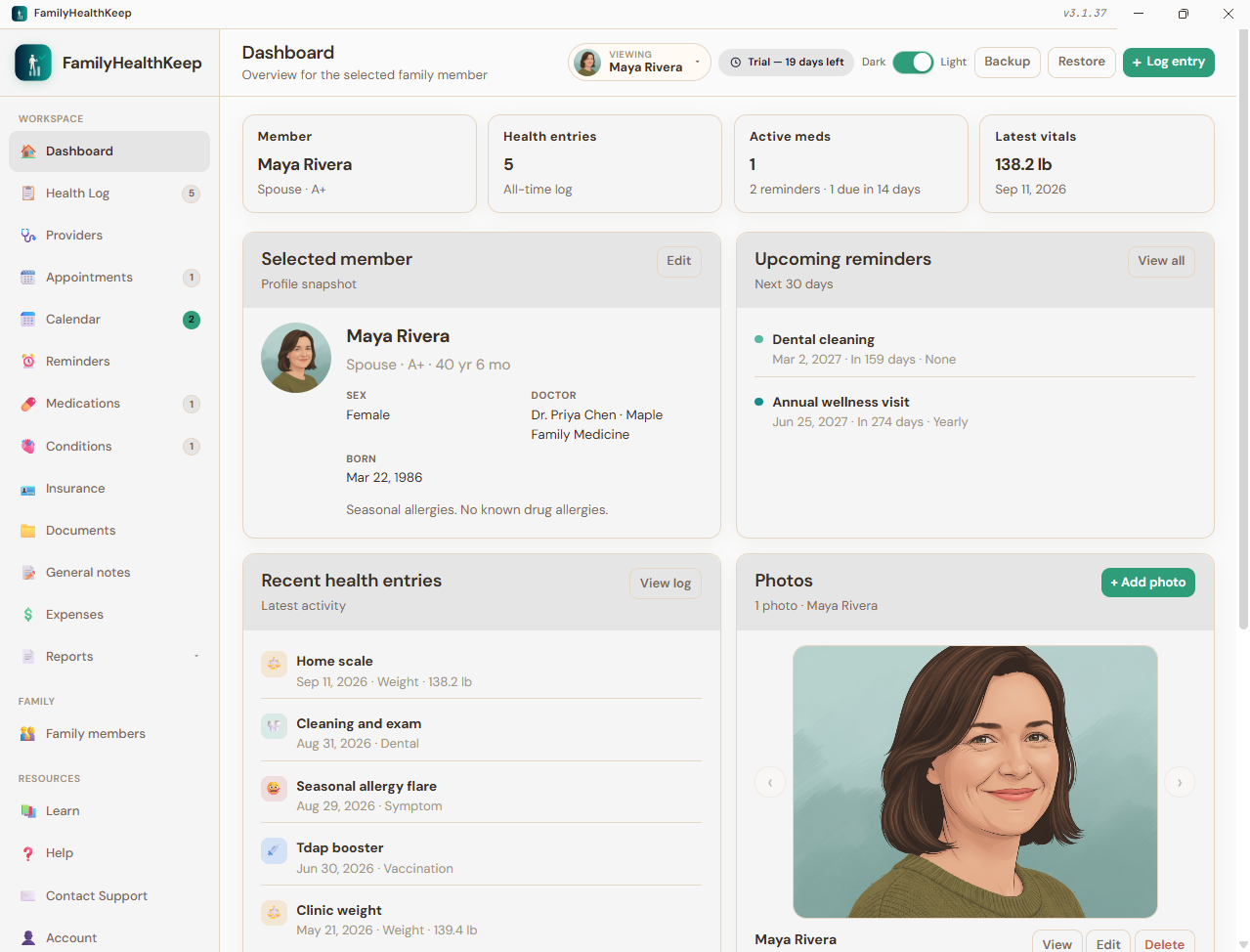
FamilyHealthKeep dashboard with selected-member snapshot, reminders, health log, and photos

Everything you need for lifelong family health records

Built for households who want organized care history.

Family profiles

Each person has a photo, relationship, birth date, sex, blood type, primary doctor, and notes. Switch members from the top bar.

Health log & vitals

Filterable care history: visits, vaccines, weight, blood pressure, glucose, symptoms, labs, and more — with optional costs, photos, and PDFs.

Private on your PC

Records live in local files under FamilyHealthKeepData/. Create full ZIP backups anytime. Nothing is uploaded to our servers.

Medications & conditions

Ongoing med schedules (prescription, supplement, or over the counter) plus active, managed, or resolved conditions with the treating doctor.

Insurance & documents

Plans with member ID, group number, and coverage dates. Keep lab PDFs, imaging, referrals, and card photos with the person they belong to.

Doctor-ready reports

Print a health summary for one person or the whole household — profile, weight, meds, conditions, insurance, notes, and recent log entries.

Health log categories you can track

Color-coded in the timeline and filterable — visits, vitals, and everyday care in one log.

Doctor visit Vaccination Medication Weight Blood pressure Blood glucose Symptom Injury Lab / imaging Dental Surgery Physical therapy Preventive Other

Complete capabilities

Every feature in FamilyHealthKeep, grouped by area.

See all features ▾

Dashboard

  • Selected-member snapshot with key stats
  • Latest vitals (weight and blood pressure)
  • Upcoming reminders for the next 30 days
  • Recent health log entries
  • Weight trend chart from Weight log values
  • Photo carousel for the active member
  • Quick-add buttons for common categories

Health log

  • Add / edit / delete care entries per person
  • 14 categories (doctor visit through other)
  • Title, date, provider, free-form notes
  • Numeric value + unit (lb, kg, mmHg, mg/dL, bpm, °F, °C)
  • Optional expense amount per entry
  • Severity (mild / moderate / severe) for symptoms
  • Photo and PDF attachments (up to 8 each)
  • Search, category filter, and date or category sort

Appointments

  • Appointment date + optional time
  • Family member, title, provider, notes
  • PDF attachments per visit (after-visit summaries, labs)
  • Provider lookup from saved doctors
  • Search appointments by keyword
  • Feeds the household calendar
  • Files stored under local FamilyHealthKeepData

Reminders

  • One-time or recurring care schedules
  • Recurrence: None, Daily, Weekly, Monthly, Yearly
  • Category, due date, notes, active flag
  • Mark Done to advance the next due date (recurring)
  • Show or hide inactive reminders
  • Appears on Calendar and Dashboard
  • Useful for refills, labs, checkups, and vaccines

Medications

  • Ongoing schedules per person
  • Type: Prescription, Supplement, or Over the counter
  • Name, brand, dosage, quantity, and frequency
  • Start date and optional end date
  • Pause / resume without deleting
  • Daily print schedule with dose slots (Morning / Evening…)
  • Optional “All members” sheet for household dosing
  • Active meds included in the health report

Conditions

  • Diagnoses for the selected family member
  • Status: Active, Managed, or Resolved
  • Onset date and optional resolved date
  • Treating doctor from saved providers or free text
  • Notes for the treatment plan, triggers, and follow-up
  • Show or hide inactive conditions
  • Included on the printable health report

Insurance

  • Medical, dental, vision, pharmacy, Medicare, Medicaid, supplemental, other
  • Plan name, member ID, group number, policy holder
  • Insurer phone, effective and expiration dates
  • Optional monthly cost and notes (deductible, copay)
  • Insurance-card photos and policy PDFs
  • Search and filter by plan type
  • Mark a plan inactive without deleting it

Documents

  • Insurance, lab result, imaging, referral
  • Prescription, immunization record, legal / advance directive, other
  • Title, date, and notes
  • PDF attachments stored on this PC
  • Search and filter by document type
  • Open PDFs in the app viewer

Household calendar

  • Month grid and list views
  • Appointments, reminders, and custom events across the family
  • Event types: doctor visit, vaccination, medication, lab / imaging, reminder, other
  • Optional time and notes
  • Color-coded by family member
  • Day detail for busy care weeks

Family members

  • Multi-person records on one license
  • Relationship: Self, Spouse, Partner, Child, Parent, Sibling, Grandparent, Other
  • Name, birth date, sex, blood type, profile photo, notes
  • Primary doctor and avatar color
  • Archive someone you no longer track day-to-day
  • One-click member switcher (top bar)
  • Separate health data per person; shared providers and license

Providers

  • Shared directory: primary care, specialist, hospital, urgent care
  • Pharmacy, lab / imaging, dentist, chiropractor, therapist, other
  • Contact name, phone, email, website, address, notes
  • Assign to one family member or everyone
  • Mark a default provider
  • Search and filter by type
  • Lookup when logging visits, appointments, and conditions

Notes, expenses & photos

  • General notes — free-form, searchable, with photos and PDFs (allergies, care goals)
  • Expenses — monthly bar chart from health-log costs, by year
  • Album photos — general photos not tied to a log entry, with caption and date

Backup, reports & print

  • Full ZIP backup (JSON data + photos + PDFs)
  • Restore with merge or replace
  • Health report for one member or everyone
  • Report includes profile, weight, reminders, meds, conditions, insurance, notes, and recent log
  • Daily medication print schedule
  • Open the data folder from Account

Account, license & application

  • Owner name & email
  • 30-day free trial from first launch
  • Activate License (works offline)
  • License badge & status on Account
  • Light / Dark theme toggle (remembered)
  • Responsive sidebar navigation
  • In-app Help, Contact Support, and Learn
  • Privacy & Terms in-app pages

Platform, Learn & packaging

  • Native Windows 11 desktop app (x64)
  • Local data for photos & PDFs
  • First launch: sample household or empty database
  • Offline Learn topics: vitals, meds, conditions, visits, insurance, documents, privacy
  • Human Atlas in Learn — educational 3D anatomy, not a diagnostic tool
  • One-time purchase — no subscription required

Privacy-first by architecture

FamilyHealthKeep is designed so your household’s health history never has to leave your computer.

Local storage Data lives in FamilyHealthKeepData/ on your Windows PC — not in a required cloud account.
No forced cloud Works completely offline. Export only when you choose.
You own the records Print a doctor-ready summary or share it only when you choose.

Also from AppsKeep

FamilyTeethKeep for dental · PetsKeep for pets · FamilyHomeKeep for house maintenance · FamilyCarsKeep for vehicles · FamilyDocsKeep for papers · Bundle pricing

Own your family’s health history

One-time license for the Windows 11 app — keep household records organized for life.

Includes 30-day free trial · Works offline · ASLAN Solutions, Inc.

FamilyHealthKeep is a personal tracking and educational tool. It does not provide medical advice, diagnosis, or treatment, and it is not an EHR or clinical device. Always consult a qualified medical professional for care decisions.